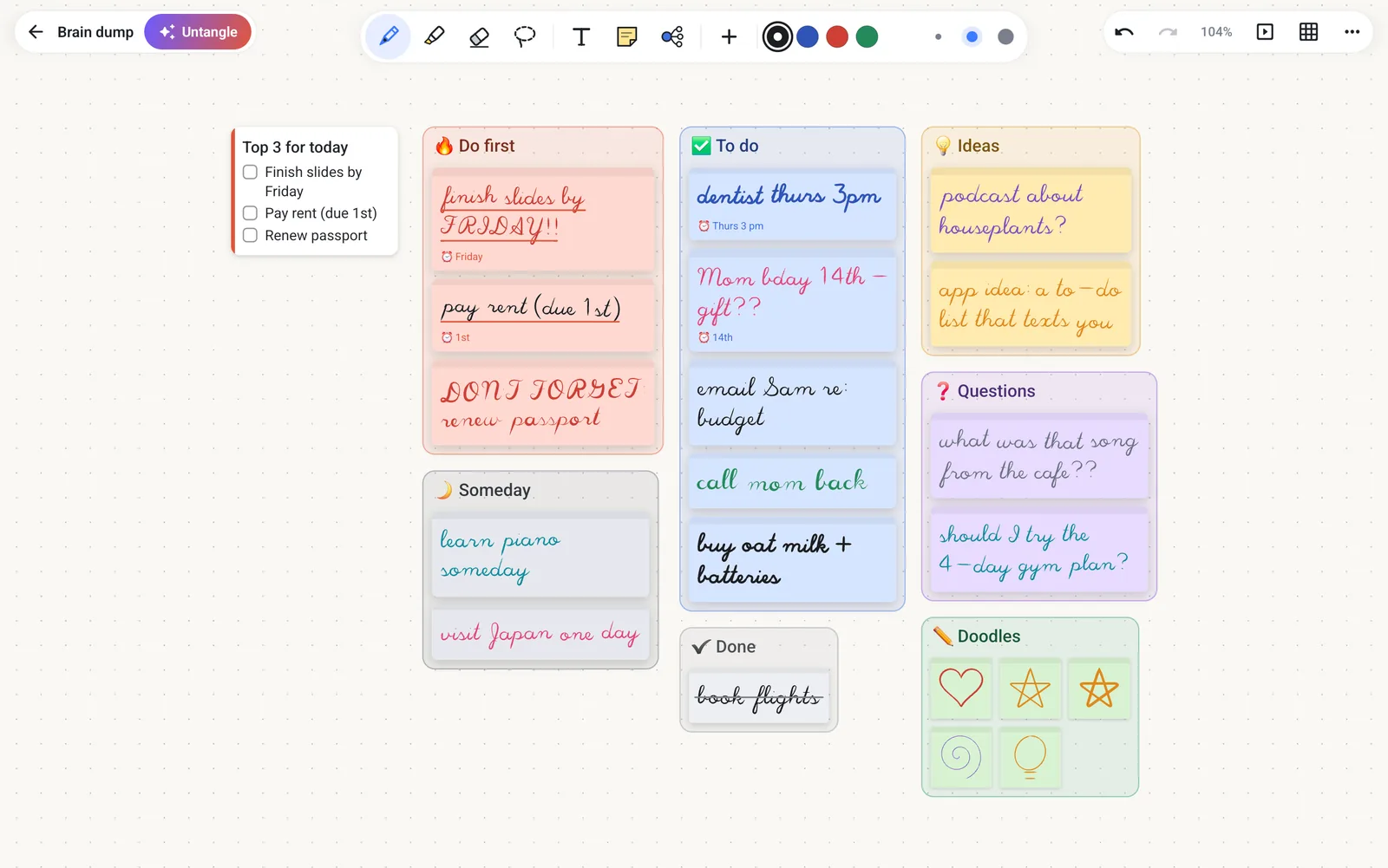
Pens tuned for the S Pen
Fountain pen, fineliner, brush pen, calligraphy nib and marker, all pressure-sensitive. Hold at the end of a stroke to snap a perfect shape.
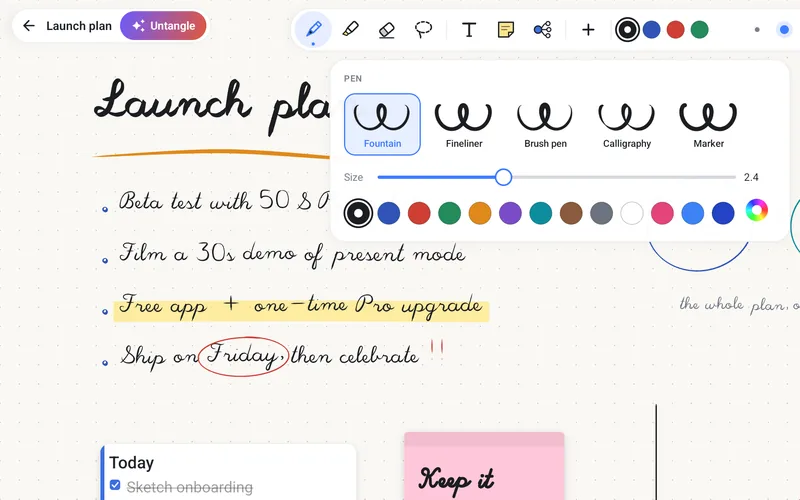
Handwritten notes for the S Pen
Pressure-sensitive handwriting that looks its best, an endless page of razor-sharp vector ink, and Untangle, which turns a messy brain dump into a clear plan in one tap.
Coming soon to Google PlayFree to use7 days of Pro, free
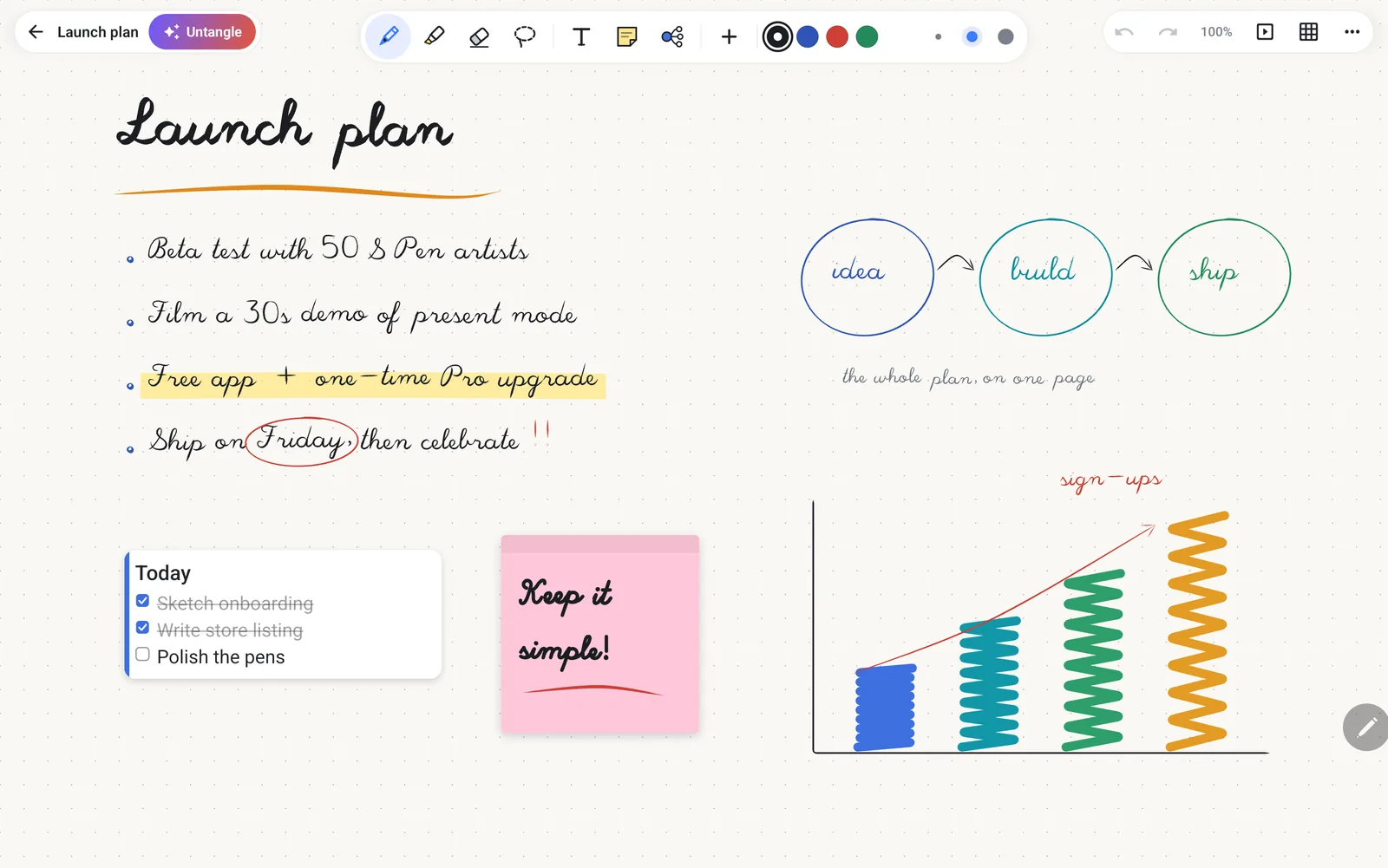
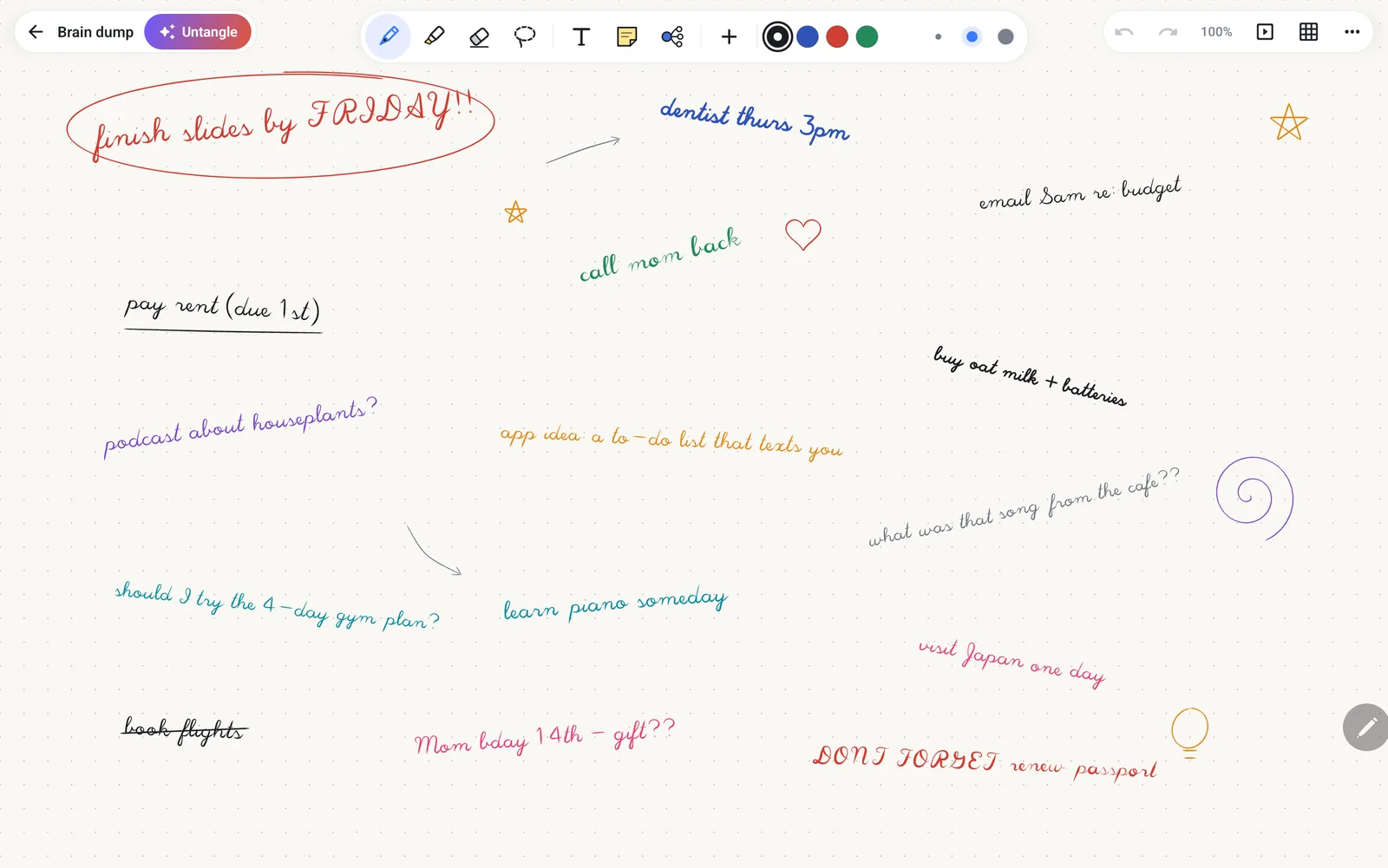
Scribble everything on your mind, anywhere on the page and in any order. Tap Untangle and Inkwell reads your handwriting, straightens every thought and files it on a tidy board, with your top three for today. Made for ADHD brains, busy weeks and 2 a.m. ideas.
Your handwriting is recognized on the device itself. It never leaves it.
Circled, underlined and red items rise to the top. Dates get their own tag.
Nothing gets retyped. Every thought keeps your own ink, just in the right place.
Twenty-six seconds of real footage from a Galaxy Tab S10+.
Everything is built around the pen: fast, precise and quiet, so the page gets all of your attention.
Fountain pen, fineliner, brush pen, calligraphy nib and marker, all pressure-sensitive. Hold at the end of a stroke to snap a perfect shape.
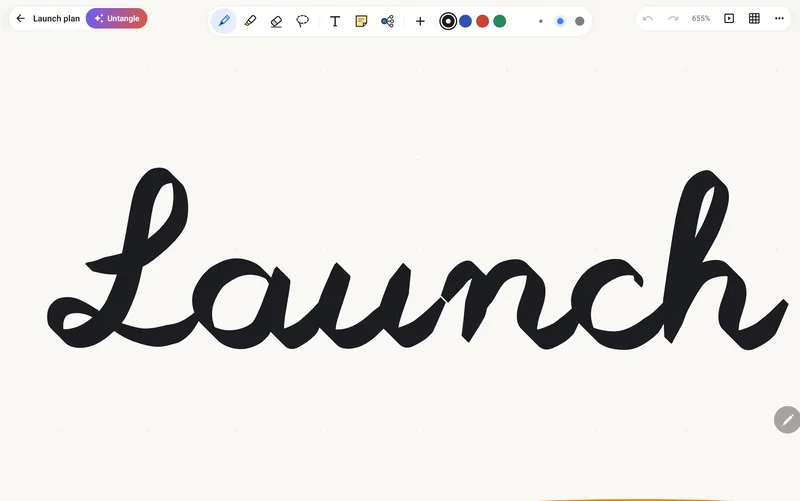
Every stroke is vector. Zoom in as far as you like and your handwriting stays crisp, from a bird's-eye view down to the last flourish.
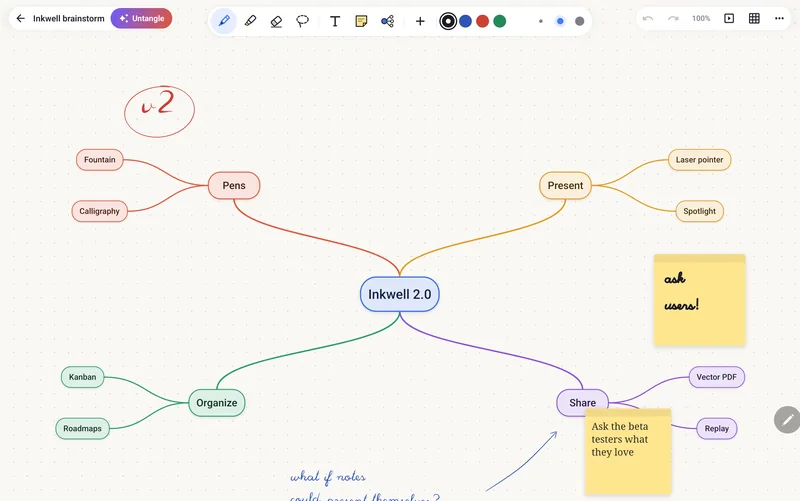
Tap to add a branch, draw between topics to connect them, and tidy the whole map with one tap.
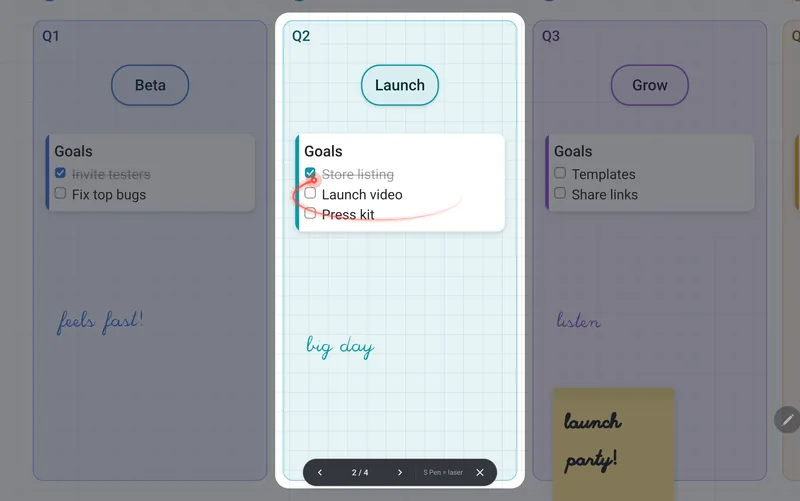
Your note becomes a zooming presentation, with a spotlight on each section and an S Pen laser pointer.
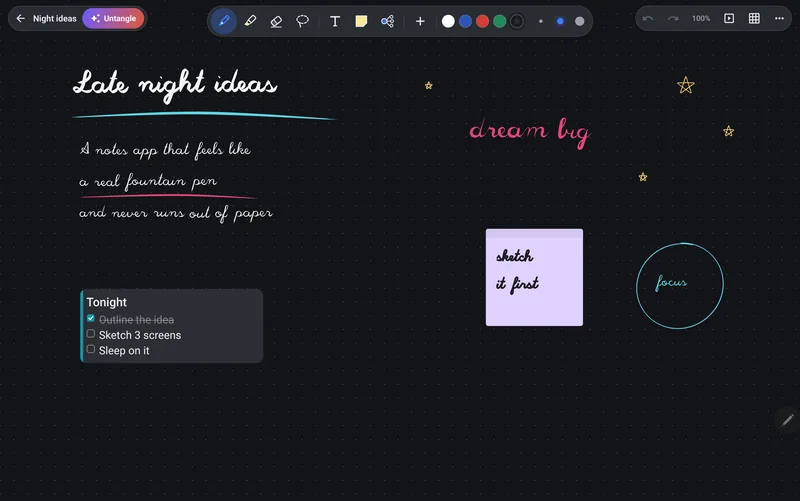
Dotted, lined, grid or blank, in light or dark. Your ink adapts, and the toolbars step aside while you write.
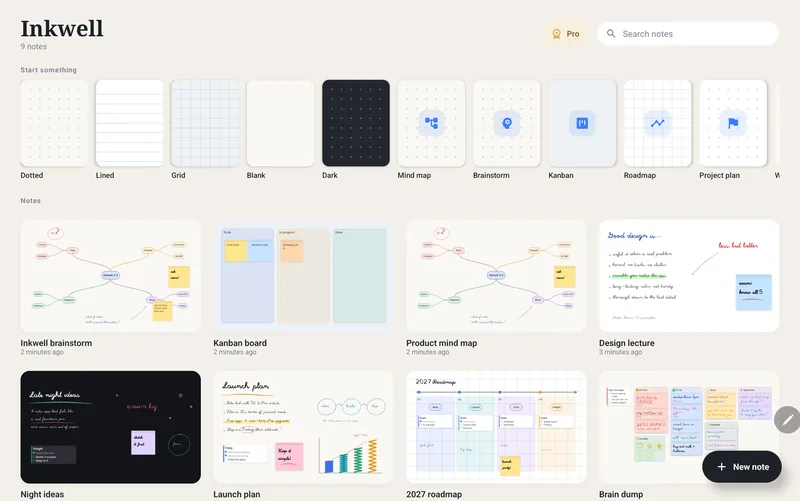
Kanban, roadmap, Cornell notes, week planner and more, plus sticky notes, checklists, images, lasso and ink replay.
Inkwell has no servers to send your notes to. They live on your device, and that's it.
Read the privacy policy →Every new install starts with 7 days of Pro, free: no card, nothing to cancel. After that, keep writing for free, or unlock Pro with one purchase. No subscription.
Everything you need to write, think and plan.
Launch price for the first month, then $7.99. Unlocks every tool on every device signed in to your Google account.
Prices in US dollars. Google Play shows the price in your currency.
Want Inkwell before everyone else? If you have an Android tablet or phone (a stylus helps), send the email address of the Google account you use on it, and you'll get an invite to install it early from Google Play.
Your email is only used to add you to the test.
An Android tablet or phone running Android 11 or newer. Inkwell is designed for the Galaxy Tab and other S Pen devices, and it works with any Android stylus. You can also turn on drawing with your finger.
No. Pro is a single purchase through Google Play: $4.99 during the launch month, then $7.99. It comes back automatically when you reinstall or switch to a new device with the same Google account, and there's a Restore purchase button too.
Yes. Every new install includes 7 days of Pro, free. There's nothing to sign up for and nothing to cancel. When the trial ends, Inkwell becomes the free version again and your notes stay exactly as they are.
Only on your device, in Inkwell's private storage. There's no account and no cloud. If Android backup is turned on, your notes are part of your own device backup.
No. Untangle uses Google ML Kit on your device. The first time you use it, a language model of about 20 MB downloads from Google. After that, your handwriting is read entirely on the device.
Email nate@logicrenewed.com. Bug reports and ideas are always welcome.